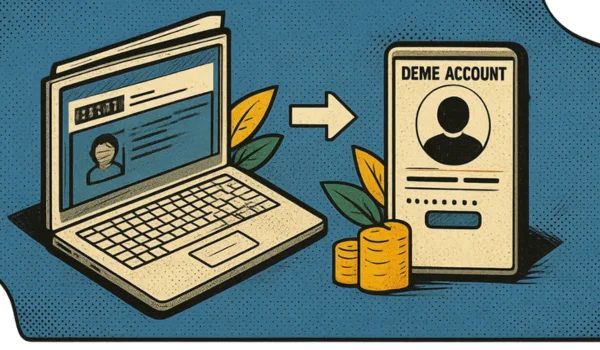
Investors in India may need to transfer shares from one Demat account to another when changing stockbrokers, consolidating investments or separating long-term holdings from trading activities. The good news is that shares can generally be transferred electronically or through a physical instruction form, depending on the depository and broker.
A Demat account holds securities in electronic form. In India, the two main depositories are the Central Depository Services (India) Limited (CDSL) and the National Securities Depository Limited (NSDL). The transfer procedure depends on the depository linked to your account and the facilities offered by your Depository Participant (DP).
This guide explains how to transfer shares online, how to use CDSL Easiest, what documents you may need, the possible charges and the important points to consider before transferring your investments.
Quick Overview of Demat Share Transfer
| Particular | Details |
| Online transfer | Available through supported depository or broker facilities |
| Offline transfer | Generally uses a Delivery Instruction Slip (DIS) or prescribed form |
| Information required | Destination Demat details, security details and quantity |
| Transfer between CDSL accounts | CDSL Easiest or another supported facility |
| Transfer between NSDL accounts | Available through supported NSDL and DP facilities |
| Transfer between CDSL and NSDL | Possible for eligible securities through an inter-depository process |
| Charges | Depend on the broker, DP and transfer method |
| Tax implications | Depend on the reason for transfer and the relationship between the parties |
What Is a Demat Account-to-Account Share Transfer?
A Demat account-to-account transfer moves securities from one Demat account to another without selling them on the stock exchange.
For example, suppose you hold shares in a Demat account with Broker A and open a new account with Broker B. You may transfer eligible shares directly to your new account instead of selling them and buying them again.
The transfer can take place between accounts belonging to the same investor or, where permitted, between different investors.
Share Transfer vs Selling and Buying Again
| Share Transfer | Selling and Buying Again |
| Securities move between Demat accounts | Existing shares are sold and new shares are purchased |
| No stock exchange sale is required for a normal off-market transfer | Market orders and exchange transactions are involved |
| Transfer charges may apply | Brokerage, taxes and other transaction costs may apply |
| Tax treatment depends on the nature of the transfer | Selling may trigger capital gains tax |
Important: Transferring shares does not automatically eliminate tax obligations. Gifts and transfers between different people can have different tax consequences from transfers between your own accounts.
What You Need Before Transferring Shares
Prepare the following information before starting the transfer process.
- Source Demat account: The account from which you want to move your shares.
- Destination Demat account: The account that will receive the shares.
- DP ID and Client ID or BO ID: The identifiers used to identify the destination account.
- ISIN: The International Securities Identification Number of the security being transferred.
- Quantity: The number of shares you want to transfer.
- Registered mobile number and email: These may be needed for OTP verification and transaction authentication.
- Transfer reason: Select the appropriate reason in the transfer facility.
- Destination account details: Confirm the account holder names and ownership pattern before submitting your request.
For a transfer between your own accounts, verify that the ownership details meet the applicable requirements. If you have a joint account, the destination account’s holder pattern may need to match.
How to Transfer Shares Online Using CDSL Easiest
CDSL Easiest is an internet-based facility that allows eligible account holders to submit securities transfer instructions online. It supports different types of transfers, subject to the account setup and authentication requirements.
The exact menu options can change, so follow the current instructions displayed by CDSL and your broker.
Step 1: Check Whether Your Source Account Is Linked to CDSL
Confirm which depository maintains your existing Demat account. You can check your account statement or ask your broker.
If the source account is maintained with CDSL, you may be able to use CDSL Easiest, provided your Depository Participant supports the facility.
Step 2: Register for CDSL Easiest
Visit the official CDSL Easiest page and follow the registration instructions.
You may need to enter your account details, register a login ID and submit the required registration form to your DP for authentication. Some users may be able to upgrade an existing CDSL account-access facility.
Registration and activation requirements depend on the selected transfer facility.
Step 3: Add the Destination Account
For eligible transfer types, you may need to add the receiving Demat account as a beneficiary or trusted account.
Enter the destination account details carefully. Some transfer options require additional digital authentication or beneficiary verification.
Do not proceed until you have verified the account identifiers and ownership details.
Step 4: Select the Securities to Transfer
Log in to the activated facility and open the relevant transaction or transfer section.
Depending on the interface, you may need to select the execution date, enter the destination account identifier, choose the securities using their ISINs and specify the quantity to transfer.
If you are transferring several securities, check each entry individually before proceeding.
Step 5: Select the Appropriate Transfer Reason
Choose the reason that accurately describes your transaction.
For example, moving your own investments to another account is different from gifting shares to another person or transferring securities as part of a sale.
Do not select a gift or sale-related reason simply because it appears convenient. The correct classification matters for record-keeping and potential tax treatment.
Step 6: Review and Authenticate the Request
Check the receiving account, security names, ISINs, quantities and transfer reason.
Complete the required authentication, which may include OTP verification, a PIN or a digital signature, depending on the facility you use.
Step 7: Track the Transfer
Save the transaction reference or acknowledgement. Check the source account to confirm that the shares have been debited and the destination account to confirm that they have been credited.
The transfer may not be instantaneous. Processing can depend on the broker, verification requirements, submission time and the status of the securities.
For detailed instructions, refer to CDSL’s official Easiest information.
How to Transfer Shares Between NSDL Demat Accounts
Investors with NSDL accounts should check which online services their Depository Participant supports.
NSDL provides facilities for eligible electronic securities transactions, while the DP may also offer its own transfer workflow.
A general process is:
- Confirm that your source and destination accounts are eligible for the intended transfer.
- Check the available online transfer facility with your DP.
- Register or activate the required service, if necessary.
- Enter the destination account details and security information.
- Review the transfer instruction and authenticate it.
- Track the request until the securities appear in the receiving account.
If an online option is unavailable, contact your DP about submitting the prescribed instruction form.
For transfers between NSDL and CDSL, an inter-depository process may be required. Not every security or account arrangement is eligible for every transfer method.
You can read more on the official NSDL inter-depository transfer page.
How to Transfer Shares Using a Delivery Instruction Slip (DIS)
If you cannot use an online transfer facility, you may be able to transfer shares through a Delivery Instruction Slip provided by your DP.
Offline Transfer Process
- Contact your existing broker or DP and request a DIS or the appropriate transfer form.
- Enter the destination Demat account details.
- Provide the relevant security identifiers, including the ISIN and quantity.
- Select the correct transfer type and complete any required fields.
- Sign the form according to the account’s signing requirements.
- Submit it through the DP’s accepted procedure and obtain an acknowledgement.
- Check both accounts after processing.
The form must be completed accurately. An incorrect destination account number, ISIN, quantity or signature can lead to rejection or delay.
Keep a copy of the submitted form and the acknowledgement for your records.
How to Transfer Shares from One Broker to Another
If you are switching brokers, you usually do not need to sell your shares simply to move them to a new platform.
The general process is:
- Open and activate your new Demat account.
- Obtain the destination account’s DP ID, Client ID or BO ID.
- Check whether the old and new accounts use CDSL, NSDL or different depositories.
- Choose an eligible online transfer facility or request an offline transfer through your existing DP.
- Submit the transfer instructions and complete any required authentication.
- Verify that the securities have reached the new account.
- If you no longer need the old account, submit a separate closure request after confirming that all holdings and pending matters have been resolved.
For example, Zerodha documents both online and offline methods for transferring eligible securities, including transfers through CDSL Easiest and a Delivery Instruction Slip. Its exact process depends on the source and destination accounts. Zerodha’s official transfer guide
Demat Account Transfer Charges
The cost of transferring shares depends on the DP, broker, type of transfer and account circumstances. Do not assume every transfer is free just because the new Demat account has zero opening charges.
| Possible charge | What to check |
| Transfer fee | Whether the source DP charges for each security or transaction |
| GST | Whether GST applies to the service fee |
| Account closure fee | Whether a separate fee applies when closing the old account |
| Outstanding dues | Any unpaid brokerage or account charges |
| Other service charges | Fees for specific transfer or authentication services, if applicable |
Some account-transfer and closure situations may qualify for a fee exemption under applicable rules. Ask your DP to confirm the charges for your exact transaction before submitting the request.
As one broker-specific example, Zerodha’s published instructions list a transfer fee of ₹25 per security per transaction plus 18% GST for the particular CDSL Easiest transfer process described in its support article. This is not a universal charge for all brokers or all Demat transfers. Check the latest Zerodha transfer instructions.
Tax Implications of Transferring Shares
The tax treatment depends on why the shares are being transferred and who receives them.
Transfer Between Your Own Demat Accounts
Moving shares between accounts that belong to the same beneficial owner generally does not, by itself, constitute a sale. However, keep the original purchase details, acquisition dates and cost records because a future sale may still create a capital gains tax liability.
Transfer to a Family Member or Another Person
Gifting shares to another person can have different tax implications. The relationship between the parties, the value of the gift and the circumstances of a later sale may affect the applicable tax treatment.
Do not assume that every transfer between two people is tax-free. Consult a qualified tax professional if you are gifting shares or transferring investments for consideration.
Common Mistakes to Avoid
- Entering incorrect account details: Verify the DP ID, Client ID or BO ID before submitting the instruction.
- Choosing the wrong transfer reason: Use the reason that accurately describes the transaction.
- Ignoring account ownership: Check the holder names and account pattern.
- Forgetting transfer charges: Review the source DP’s latest fee schedule.
- Assuming instant processing: Keep the transaction reference and verify the credit in the receiving account.
- Closing the old account too early: Confirm that all eligible holdings have been transferred and pending transactions have been resolved.
- Sharing authentication details: Never disclose your OTP, TPIN, PIN or login password to someone claiming to process the transfer on your behalf.
Frequently Asked Questions
Can I transfer shares from one Demat account to another online?
Yes. Eligible investors can use supported online facilities such as CDSL Easiest or services provided by their DP. The method depends on the depository, account type and transaction.
Can I transfer shares between two Demat accounts with different brokers?
Yes, provided the accounts and securities are eligible for the chosen transfer method. You should verify the source and destination account details before submitting the instruction.
Can I transfer shares between CDSL and NSDL?
Yes, eligible securities can be transferred between the two depositories using an appropriate inter-depository process. The available method depends on the securities and account arrangements.
Do I need to sell my shares before changing brokers?
No. You can generally transfer eligible holdings to your new Demat account instead of selling them. This avoids the need to sell and repurchase the same shares solely because you are changing brokers.
How long does a Demat share transfer take?
There is no single processing time for every transfer. The time can depend on registration, beneficiary verification, the DP’s processing, submission timing and the security’s status. Check the expected timeline with your broker.
Can I transfer shares from a Demat account that I want to close?
Yes, eligible holdings can generally be transferred before closure or through an approved closure-cum-transfer facility. For eligible NSDL accounts, the official online closure-cum-transfer facility has specific eligibility conditions, including requirements relating to account type, ownership and pending transactions.
Conclusion
Transferring shares from one Demat account to another in India can be done online or offline, depending on the broker, depository and account type. CDSL Easiest, supported NSDL facilities and a Delivery Instruction Slip are among the available methods.
Before starting, verify the destination account details, check the transfer charges and choose the correct transfer reason. Keep your transaction acknowledgement and confirm that the shares have been credited to the receiving account.
If you are changing brokers, transferring your investments may be more convenient than selling and repurchasing them. However, confirm the applicable procedure and tax implications before proceeding.